 A ferramenta OpenManage da Dell oferece uma solução simples, dimensionável e objetiva. Essas novas ferramentas fornecem a capacidade de configurar e gerenciar os seus sistemas, monitorar e fornecer atualizações, gerenciar ativos, migrar e fazer backup dos seus servidores, proteger dados e oferecer serviço de help desk. A seguir os comando passo-a-passo para a instalação desta ferramenta.
1 – Entre na pasta SUPPORTSCRIPTS e execute o script srvadmin-install.sh
# cd /media/SYSMGMT/srvadmin/linux/supportscripts
# ./srvadmin-install.sh
2 – Logo após escolha a opção 6 do menu.
##############################################
 Server Administrator Custom Install Utility
##############################################
 Components for Server Administrator Managed Node Software:
 [ ] 1. Server Administrator Web Server
 [ ] 2. Server Instrumentation
 [ ] 3. Storage Management
 [ ] 4. Remote Access Core Component
 [ ] 5. Remote Access SA Plugin Component
 [ ] 6. All
 Enter the number to select a component from the above list.
 Enter q to quit.
 Enter : 6
3 – Na próxima operação, selecione i e a tecla ENTER.
##############################################
 Server Administrator Custom Install Utility
##############################################
 Selected Options
 - All

 Dependencies
 - Server Administrator Web Server
 - Server Instrumentation
 - Storage Management
 - Remote Access Core Component
 - Remote Access SA Plugin Component

 Components for Server Administrator Managed Node Software:

 [x] 1. Server Administrator Web Server
 [x] 2. Server Instrumentation
 [x] 3. Storage Management
 [x] 4. Remote Access Core Component
 [x] 5. Remote Access SA Plugin Component
 [x] 6. All

 Enter the number to select a component from the above list.
 Enter c to copy selected components to destination folder.
 Enter i to install the selected components.
 Enter r to reset selection and start over.
 Enter q to quit.
 Enter : i
 Default install location is: /opt/dell/srvadmin
 Do you want to change it?
 Press ('y' for yes | 'Enter' for default):
4 – Aguarde a instalação e inicialização dos serviços.
Installing the selected packages.

aviso: srvadmin-cm-6.1.0-648.i386.rpm: Cabeçalho V3 assinatura DSA: NOKEY, key ID 23b66a9d
Preparando...               ########################################### [100%]
 1:srvadmin-omilcore      ########################################### [  6%]
 To start all installed services without a reboot,
 enter the following command:  srvadmin-services.sh  start
 2:srvadmin-omcommon      ########################################### [ 12%]
 3:srvadmin-hapi          ########################################### [ 18%]
 4:srvadmin-syscheck      ########################################### [ 24%]
 5:srvadmin-deng          ########################################### [ 29%]
 6:srvadmin-omacore       ########################################### [ 35%]
 7:srvadmin-isvc          ########################################### [ 41%]
 8:srvadmin-omauth        ########################################### [ 47%]
 9:srvadmin-wsmanclient   ########################################### [ 53%]
 10:srvadmin-idrac-componen########################################### [ 59%]
 11:srvadmin-jre           ########################################### [ 65%]
 12:srvadmin-cm            ########################################### [ 71%]
 13:srvadmin-idracadm      ########################################### [ 76%]
 14:srvadmin-idracdrsc     ########################################### [ 82%]
 15:srvadmin-iws           ########################################### [ 88%]
 16:srvadmin-omhip         ########################################### [ 94%]
 17:srvadmin-storage       ########################################### [100%]

 Do you want the Server Administrator services started?
 Press ('y' for yes | 'Enter' to exit): y
Starting Systems Management Device Drivers:
Starting dell_rbu:                                           done
Starting ipmi driver:                                        done
Starting Systems Management Data Engine:                     done
Starting dsm_sa_datamgr32d:                                  done
Starting dsm_sa_eventmgr32d:                                 done
Starting DSM SA Shared Services:                             done
Starting DSM SA Connection Service:                          done
Pronto, agora basta acessar o endereço: https://%5BIP-SERVIDOR%5D:1311/
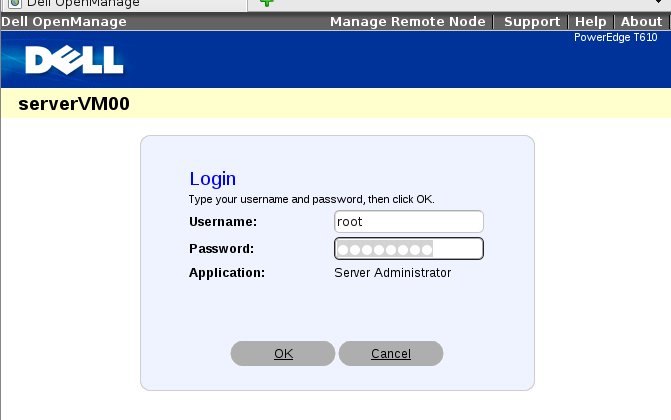
Para iniciar e para o serviço manualmente, para executar os script ./srvadmin-services.sh.
# /opt/dell/srvadmin/sbin/srvadmin-services.sh [start|status|stop]
 Assunto NERD:
Bom dia Alessandro
Fiz a instalação do Openmanage Server Administrator e as configurações iniciais, durante os testes percebi que ao simular uma falha no servidor o alerta na console é gerado, mas não recebo nenhum email informativo do alerta.
Se eu enviar um email manual de dentro da interface web, eu recebo.
A minha dúvida é se o Server Administrator trata os alertas com o SNMP ou envia por email.
Se for através de SNMP, sabes como fazer para que eu receba estes alertas ?
Grato.